Compiling your own kernel
This page contains content on how to compile your own kernel.
WARNING
If you cannot understand any of this get the fuck out.
Rquirements:
Semi-Decent Machine. The ps4 itself can be used as well.
Reading capability.
Patience.
Where to start?
- First you should start by choosing the method you will use to compile the kernel with.
Which methods are available?
- You can manually compile using commands by following the archwiki. Or you can do the far more user friendly approach by using linux-tkg. In this page only linux-tkg will be covered as its far more user friend and just easier to use.
Step 1 - Setup
First clone the linux-tkg repo.
https://github.com/Frogging-Family/linux-tkg.gitDownload the modified PKGBUILD file and place it into the directory.
Download using this link here.
You will also need to install couple packages needed to compile you can copy the provided command:
yay -S --needed base-devel git ccache schedtool clang lld llvm \
bison xmlto docbook-xsl inetutils bc libelf pahole patchutils flex \
python-sphinx python-sphinx_rtd_theme graphviz imagemagick cpio \
perl tar xz wget --noconfirm
Step 2 - Configuring the linux-tkg project
Go into $HOME/.config and make a directory called frogminer
After that go back to linux-tkg and copy the "customization.cfg" into the .config/frogminer directory but rename the file to "linux-tkg.cfg".
Open the config file and change "_git_mirror=" to "_git_mirror="https://github.com/feeRnt/ps4-linux-12xx.git"
NOTE: this kernel is only aoelia-belize go to his repo to find kernels for baikal.
This will clone the 6.15.4 kernel wen you select it.
Example with images will be provided here.
NOTE: Im using offline mode here so you will not see other kernels besides ones that have been cloned.
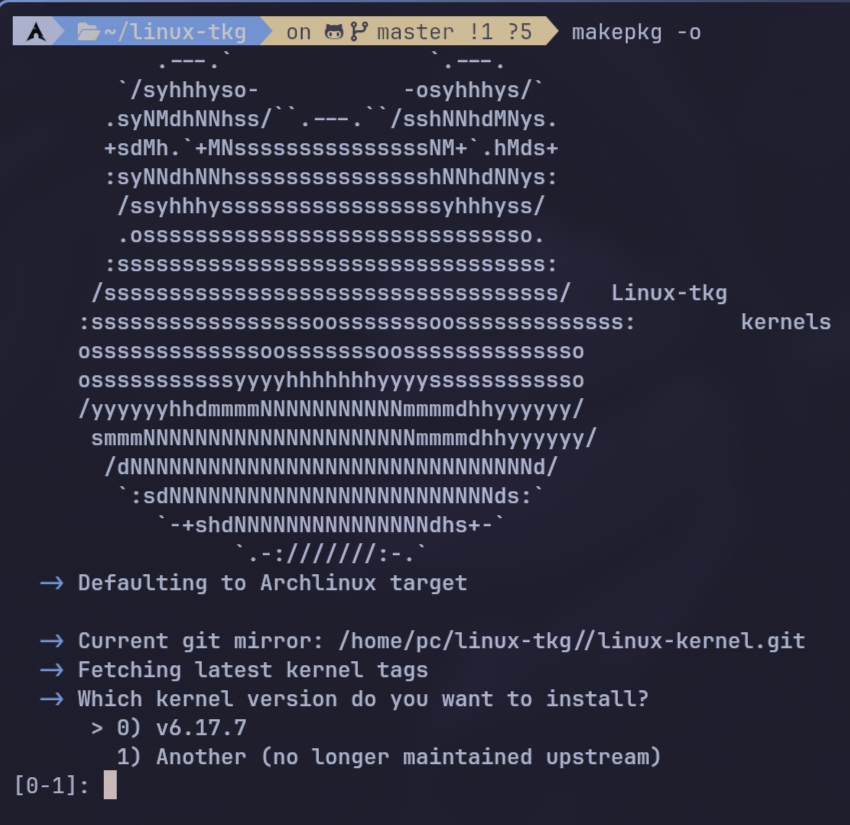

NOTE:Fixing the pkgbuild
- The linux-tkg project does not allow the option for kernel output to be compiled as bzImage, i made a pr request but it has been rejected so for now you will need to use a modified PKGBUILD file.
- This is only for arch because its the distro i use i dont know for other distros but you will have to modify ./install.sh script if you dont use arch.
- You can download the follow modded PKGBUILD file from this link here.
Step 3 - Recommended settings.
Config for linux-tkg.cfg will be provided here. I will call this the recommended config because it has been tuned for the ps4 and minimizing compile time. If you wanna lower the compile times even more check out modprobed-db on archwiki.
The config will be used automatically if you followed up the Step 1 of the guide.
Cd in the the linux-tkg with this command:
cd linux-tkgNow run the makepkg -o to check if everything is working fine then run makepkg -s command to and follow the instructions of the linux-tkg to build the kernel.